Turn an idea into a 10-frame storyboard, then a finished AI video with a synced voiceover. Your character, setting, and real product stay consistent across every shot.
Script first → storyboard → video → audio. The workflow that actually ships.
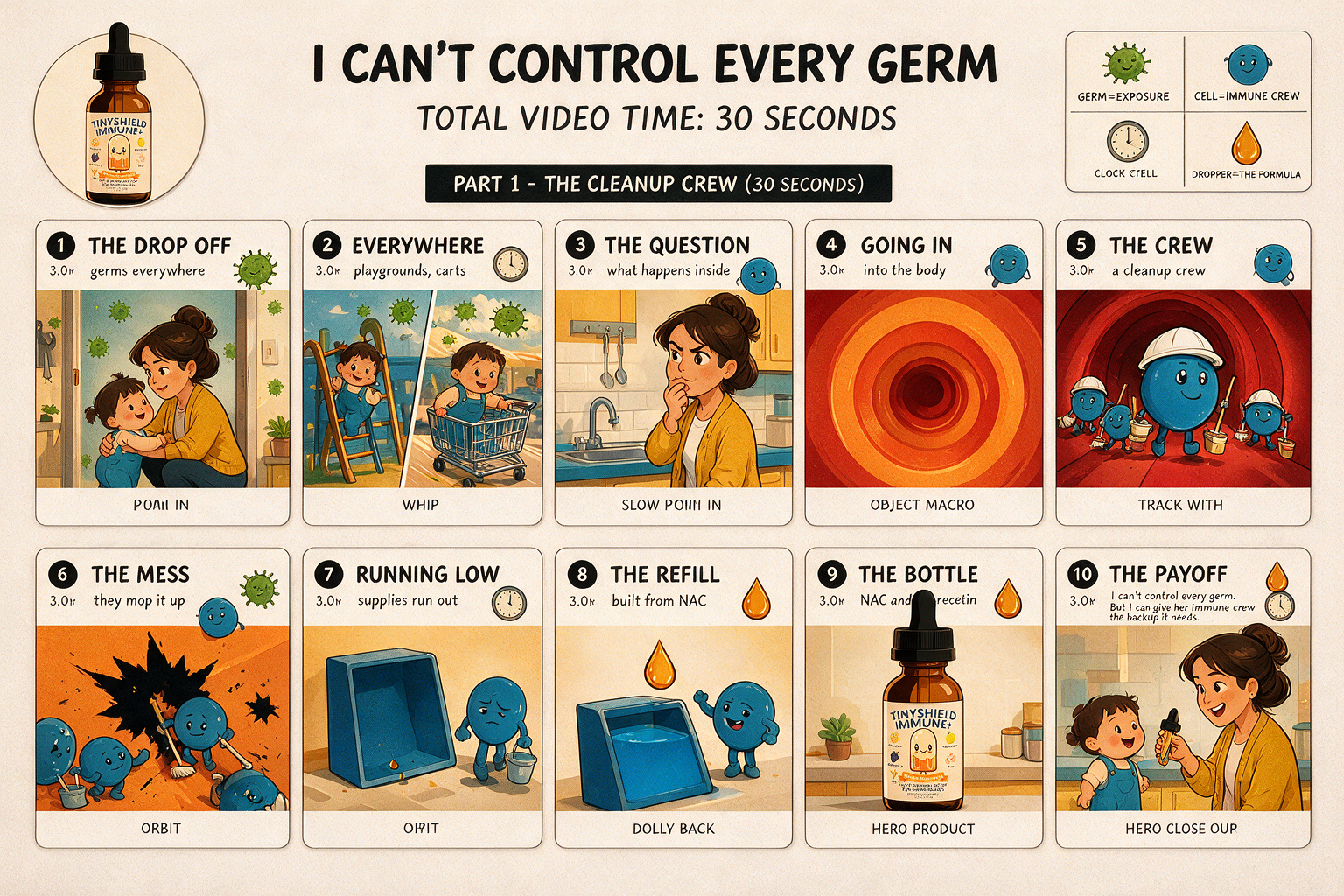
Same pipeline, a completely different look. This one answers one curiosity question (what does a kid’s body actually do with the germs it meets), teaches the mechanism through a cleanup crew, and lands on the product. The bottle is passed in as a reference image so the label is the real one, and the captions are aligned word by word against the finished voiceover rather than typed by the video model.
Tenframe gets the story first: angle, POV, the beats. It confirms aspect ratio + duration before a single pixel.
A 10-frame contact sheet, rendered with your real product photo as a reference so nothing gets invented. Sheets headed for video are built with Seedream, ByteDance’s own image model.
The sheet drives Seedance 2.5, up to 30 seconds in a single pass. It’s the consistency anchor that stops the model from drifting shot to shot.
A voiceover, fit to each beat and mixed over ducked ambient. One clean, on-brand spot.
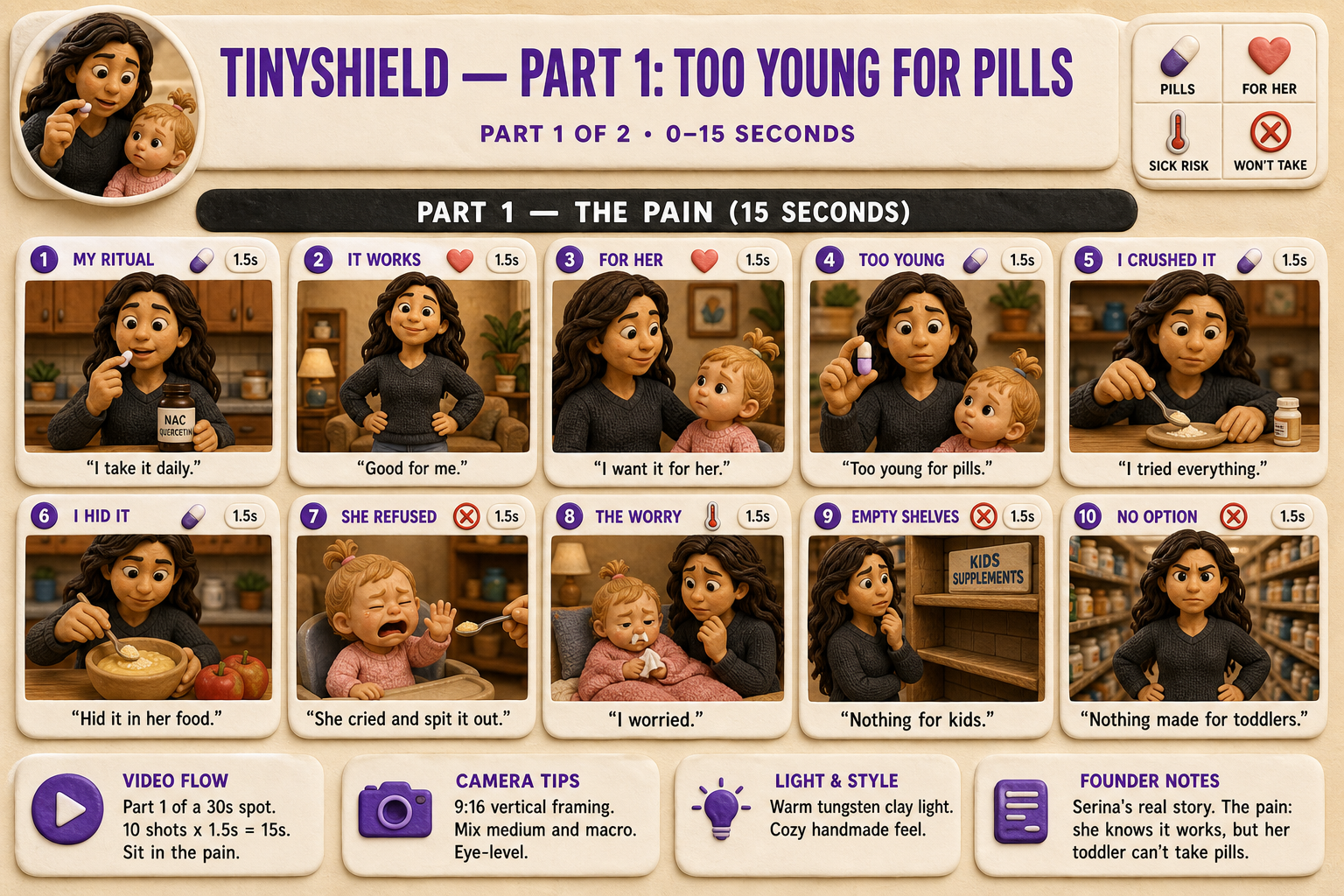
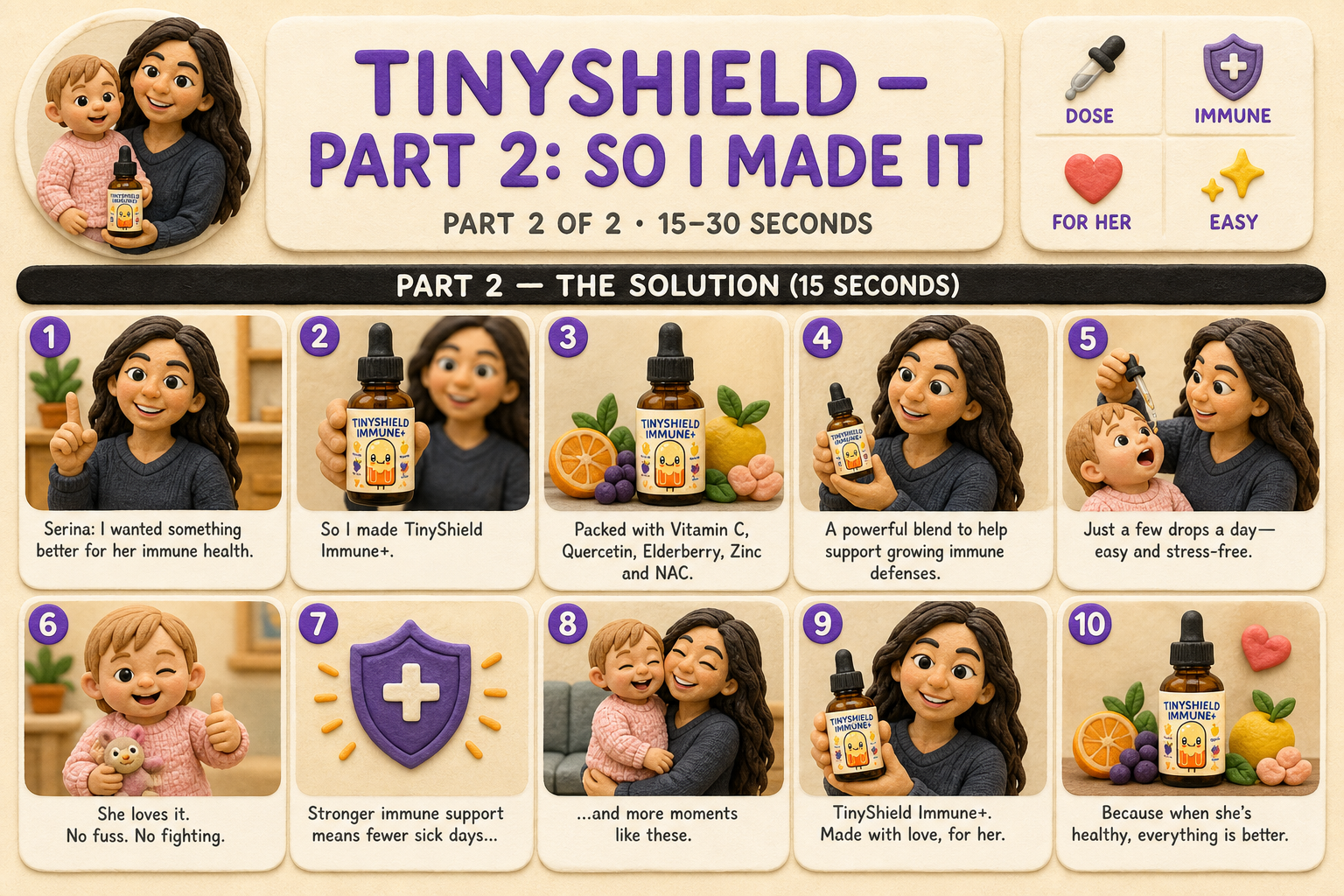
Ten loose shot descriptions drift. The character's face changes, the setting shifts. One contact sheet used as a reference holds continuity across the whole video.
The skill passes your actual product (and founder) photo as a reference image. The picture guarantees fidelity. The words don't.
It co-writes the script with you and gets sign-off first. The best ad here came from a real founder's origin story, not a generic template.
The fiddly parts (rendering, audio, assembly) are bundled scripts with the hard-won gotchas baked in, so it ships clean even on smaller models.
For a recurring person (a founder, a spokesperson), Tenframe builds a character sheet first: real face, every angle and expression, pupils leveled. That sheet rides along as the reference, so the face never changes mid-video.
Anything headed into Seedance is generated with Seedream, ByteDance’s own model. Keeping both halves in one family is what gets a reference past the likeness gate and transfers identity cleanly. Sheets from other generators get rejected.
Burned-in captions are aligned word by word against the final voiceover, with phrase breaks taken from your own script, because most of the feed watches muted. Music sits under the voice on a sidechain duck, so it drops when she speaks and lifts in the gaps.
A shared scriptcraft guide runs every format: one spine question, a hook that drops mid-reaction, teaching through friction instead of lecture, and a banned list of the phrases that make writing smell like AI.
Every panel encodes movement: motion arrows, camera-move labels, action lines, a subject that progresses across the frame. A row of centered portraits is a failed board, and Tenframe knows it.
Name the look. The whole pipeline adapts: sheet, prompts, render.
Five are brand new, and every style now ships with its named tell, the one giveaway that makes it read as AI, plus the cheap fix. Three carry a full pipeline of their own. Exaggerated 3D Explainer: a 9:16 vertical short that answers one curiosity question, oversized-head characters, 8 to 12 beats, built on an idea filter that kills weak topics before you spend a cent. POV Documentary: a first-person time-travel vlog where a host walks into a real historical era, talks to locals, and teaches, closing on the line people quote.
Drop it into your Claude skills folder and say “storyboard a 30-second video ad” or “make me a 3D explainer about why phones get hot.”
# install (Claude Code)
unzip tenframe-skill.zip -d ~/.claude/skills/tenframe
# then set your keys (see SETUP.md)
export FAL_API_KEY="..."   # video
export OPENAI_API_KEY="..." # storyboard image + voiceover